
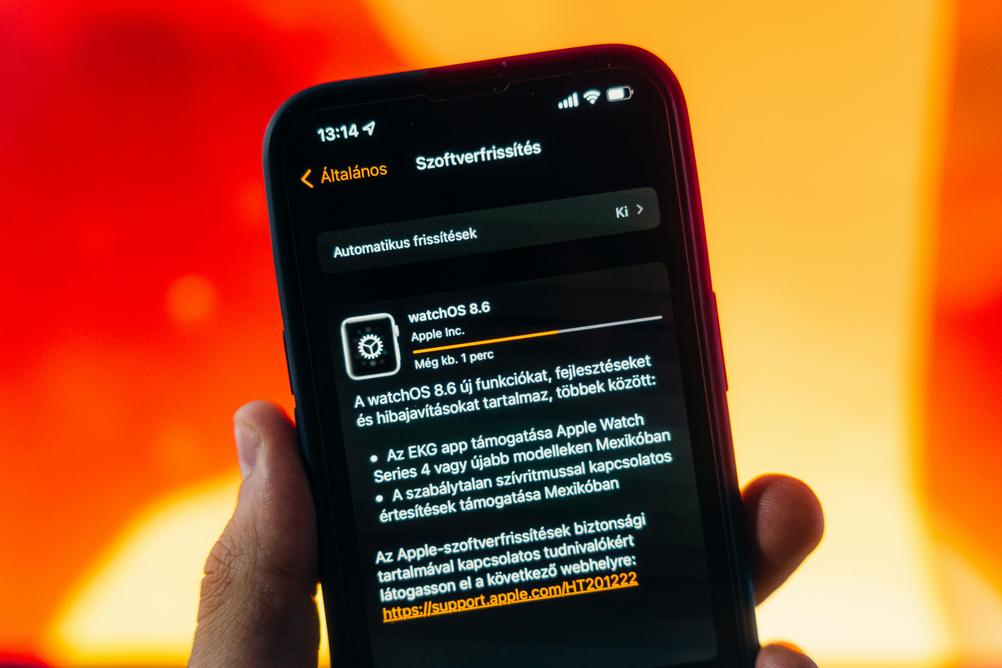
Apple has always been on the cutting edge of mobile software, and this autumn season is no exception. Just a month after the public rollout of iOS 26, the tech giant is already preparing to ship iOS 26.0.2—a bug fix update aimed at enhancing user experience, improving system stability, and addressing performance issues users have encountered since the major release.
Table of Contents
- Why iOS 26.0.2 Is Important
- Expected Fixes and Improvements
- Compatible Devices for iOS 26.0.2
- How to Prepare Your iPhone for the Update
- Quick Recap: Key Features of iOS 26
- User Reactions and Feedback
- What Comes After iOS 26.0.2?
- Conclusion
Why iOS 26.0.2 Is Important
Every major iOS release is bound to have a few kinks that need ironing out. iOS 26, despite being packed with new features and visual overhauls, was no different. Users have reported minor bugs, UI glitches, and unexpected battery drain in some devices. Hence, the upcoming iOS 26.0.2 serves as a quick remedy to those initial wrinkles.
This new version focuses solely on refinement—making sure everything operates smoothly, ensuring device longevity, and keeping users safe from potential vulnerabilities.
Expected Fixes and Improvements
While Apple has yet to release the official changelog, sources and beta testers suggest several key fixes coming in iOS 26.0.2:
- Battery Optimization: Early feedback claims noticeable battery drain on iOS 26, which Apple is expected to address.
- App Crashes: Some native and third-party apps have been crashing unexpectedly post-update. Stability improvements are anticipated.
- Wi-Fi and Bluetooth Connectivity: A few users reported drops in connectivity or difficulty pairing with Bluetooth accessories—these are likely in the fix roster.
- Camera Lag: Especially on older iPhone models, the camera app has shown delayed start or frame stutter—performance tuning expected.
- Security Patches: Apple remains committed to user privacy and data safety, so expect vulnerability fixes in line with their regular review cycle.
Compatible Devices for iOS 26.0.2
iOS 26.0.2 will be available for all devices currently running iOS 26. Here’s a list of supported models:
- iPhone 15 series
- iPhone 14 series
- iPhone 13 series
- iPhone 12 series
- iPhone 11 series
- iPhone SE (2nd and 3rd generation)
- iPhone XR, XS, and XS Max
Users of these models should receive the update via OTA (Over The Air) in the coming days or weeks.
How to Prepare Your iPhone for the Update
Before updating, follow these simple tips to ensure a smooth transition:
- Backup Your Data: Use iCloud or connect your device to a computer to back up using iTunes or Finder.
- Free Up Space: The update could be around 300–500MB, so make sure you have enough storage.
- Charge Your Phone: Ensure at least 50% battery life, or keep your phone plugged in during the update.
- Connect to Wi-Fi: To avoid mobile data charges and ensure a faster download.
Quick Recap: Key Features of iOS 26
Although the spotlight now is on bug fixes, it’s worth recalling what iOS 26 brought to the table:
- Dynamic Widgets: Live, customizable widgets that update in real time.
- Enhanced Lock Screen: More personalization options and interactive notifications.
- Privacy Reports: Weekly summaries of app tracking to boost transparency.
- Revamped Messages App: Smarter AI suggestions, voice-to-text clarity improvements, and enhanced group chat features.
- Focus Filters: Smarter Do Not Disturb options with deeper app integrations.
iOS 26 aimed to improve productivity without compromising personalization—a balance iPhone users have appreciated thus far.
User Reactions and Feedback
It’s been a mixed bag for iOS 26 so far. While the new dynamic widgets and privacy upgrades were widely praised, users weren’t thrilled with some of the performance hiccups that accompanied the release.
Reddit threads and Apple Support forums have been flooded with reports of minor annoyances rather than critical failures—which is a good sign. Apple’s reactive stance with iOS 26.0.2 shows it listens closely to its user base.
Common Complaints Include:
- Rapid battery consumption, especially in iPhone 13 and earlier models
- Lag in opening native apps like Camera and Photos
- Unresponsive Dynamic Widgets during heavy multitasking
- Unexpected device restarts during video editing
What Comes After iOS 26.0.2?
Looking ahead, Apple will likely release iOS 26.1 within the next couple of months with more significant updates, potentially including new features announced but not yet available from the main release.
Some rumored enhancements could include:
- Expanded AI integrations in Safari and Siri
- Deeper Health app features with third-party hardware support
- New camera filters and AR toolsets for developers
However, iOS 26.0.2 is strictly a stabilization update—a necessary pit stop on the road to continued innovation.
Conclusion
iOS 26.0.2 may not be packed with headline-making features, but it’s essential for the platform’s health and your device’s performance. Apple has demonstrated once again its commitment to user satisfaction by rapidly addressing issues and refining its newest mobile operating system.
If you’ve updated to iOS 26 and noticed changes—good or bad—this fix is for you. Make sure your devices are ready, and keep an eye on your Settings app notifications for the update prompt. Your smoother, more reliable iPhone experience is just around the corner.
Have thoughts or experiences with iOS 26 or beta 26.0.2? Drop us a comment below or share this article with fellow Apple enthusiasts.
Related Reads:
Leave a Reply